
Folder Templates for Organisations
Folder templates facilitate the automatic creation of folder structures with defined access rights.
Folder templates consist of:
-
structures
-
groups
-
access rights and
-
information about the inheritance of access rights.
Folder templates facilitate the administration of shared folders for organisations such as schools.
on this page:
Templates
Folder templates are stored as XML-files.
These files have to be placed in the template folder of the edu-sharing system folder by a user with corresponding rights.
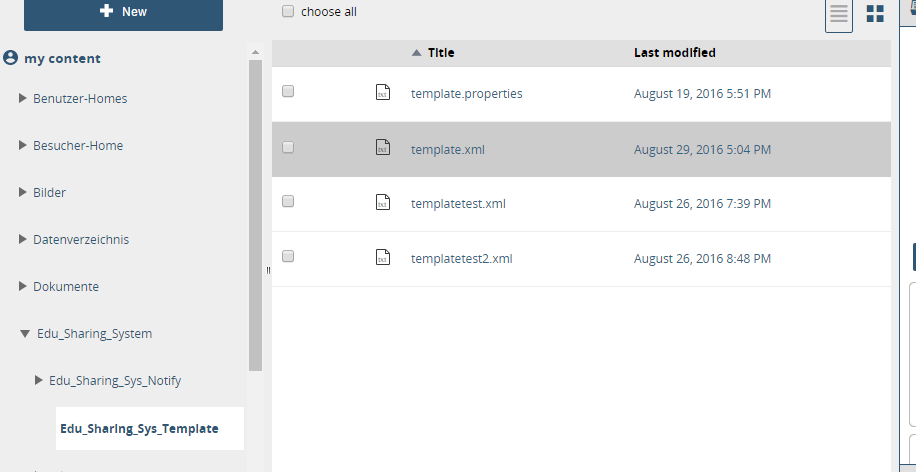
file path for folder templates
Creating and using Templates
Only system administrators and members of the "organisation-admin-group" can store templates.
If the template is executet multiple times the system checks if the folders have already been created. If this is not the case the folders will be created and the access rights will be assigned.
If the folders already exist - no further steps will be taken.
The organisation-admin-group
This group is set in the properies file stored in the edu-sharing system folder (Edu_Sharing_System).
The corresponding key is "admingroup". The value contains the "role" group name of the administrators group.
an example:
admingroup=manager
manager=$ORGNAME$ - $GROUPNAME$ - member
Usage of "role" rights in the template
The edu-sharing roles (Consumer, Collaborator, Coordinator) can be used in the template.
Schema of the template
<edutemplate name="" version="" context="" >
 <folderroot name="root">
   <folder name="teachers_area" inherited="yes" type="" restriction="">
     <groups>
       <group name="pupil" right="Consumer" />
       <group name="teacher" right="Collaborator" />
     </groups>
     <folder name="counseling" inherited="yes" type="" restriction="">
      <groups>
       <group name="pupil" right="Consumer" />
       <group name="teacher" right="Collaborator" />
      </groups>
     </folder>
   </folder>
 </folderroot>
</edutemplate>


folder Element <folder name="informations of the school" inherited="no" type="" restriction="">
Attributes of the <folder> element
|
Attribute |
Description |
|---|---|
|
name |
name of the folder that is going to be created |
|
inherited |
inherit access rights of the parent folder (values are [yes|no] ) |
|
restriction |
not used |
|
type |
not used |
The groups element <groups>
The groups element is a container element for the <group> element and does not have attributes.
There can only be one <groups> element within <folder> elements. It has to be used as a child right after the <folder> element.
The group element <group>
<group name="pupil" right="Consumer" />
The element "group" can be used any number of times within the "groups" element.
|
Attribute |
Description |
|---|---|
|
name |
name of the group-"role" (reference to the properties file) |
|
right |
rights-"role" for that group for a folder |
Where are the folders created?
By default the folders will be created in the root folder of the organisation (the shared folder).
If a FolderID is used while calling the webservicce or servlet this folder will be used.
Mapping groups
The group descriptions used in the template have to be transferred to groups in the instances of the organisations. For each group role there has to be one entry in the properties file.
The order template function can be called via servlet or using a webservice.
Creating folders by calling the servlet in your browser
example:
organisation group (as in the "root group" of the organisation being created): GROUP_Organisationname
template name: template.xml
optional parameter: folder-ID of a folder to host the new folder (for testing purposes for example)
Creating folders using a GUI
A more comfortable way of creating folders is a GUI we are currently working on.
The creation of groups using the GUI also relies on the XML template stored in the appropriate folder. Furthermore there has to be a group folder for the organisation (e.g. school, class...).
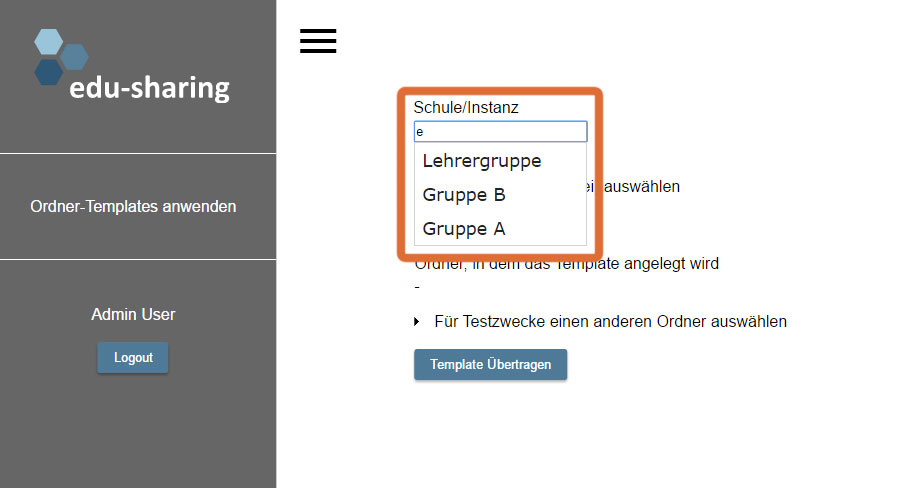
Enter the name of the desired edu-group in the corresponding filed. An edu-group is a group in edu-sharing with a linked group folder.
You will be supported by a suggestion system.
Now select the corresponding folder template using the drop down box.
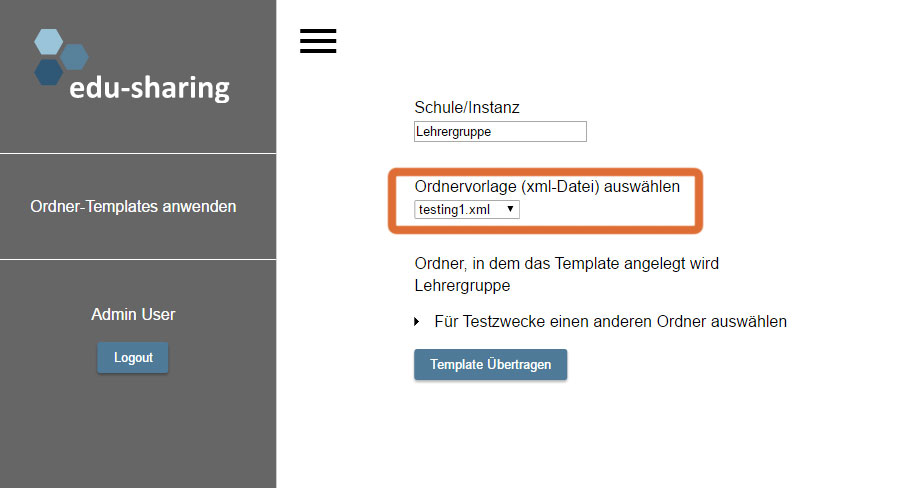
The folder structure stored in the template will be created in the root of the group folder of the instance (school...) by default. For testing purposes you can also pick an alternative folder to host the new struture.
Click on the corresponding button to start the application of the template.